
AI video B-roll works when every generated clip has a job in the edit. A beautiful aerial, macro texture, or slow camera push is not useful by itself. It must clarify a line, prove a detail, hide an edit, reset attention, or move the story toward its next beat.
The practical workflow is to map the edit first, assign one coverage job to each shot, generate the minimum useful set, and judge the clips on the timeline. This prevents the common result: ten polished clips that repeat the same idea while the editor still lacks the one close-up, process step, or clean ending needed to finish the video.
Start at C Dance, open the image-to-video Workspace with Seedance 2.5 selected, and keep the Seedance prompt library nearby for camera-language examples. Use the model and mode that fit each shot, but keep them fixed while comparing prompt revisions.
The quick answer: write a coverage plan before prompts
Build B-roll from the edit outward. For each story beat, answer three questions:
- What must the viewer understand or feel here?
- What visible evidence would support that job?
- Which framing makes the evidence readable in one glance?
Then write a shot, not a paragraph of style words.
Shot job: prove the handmade surface texture
Subject: one unbranded dark ceramic cup on a workbench
Action: a craftsperson's thumb slowly brushes loose clay dust from the rim
Framing: extreme close-up, rim and fingertips fill the frame
Camera: locked camera, shallow focus stays on the contact point
Light: soft window light from frame left
Continuity: preserve cup shape, charcoal color, hand appearance, and bench surface
Exit: the hand leaves frame and the clean rim holds for half a beat
The “exit” line matters. Editors need clean handles. If the clip ends during an unfinished movement, it may look impressive in isolation but be awkward to cut.
Map B-roll to a real edit beat
Do not begin with “What could look cool?” Begin with the script, voiceover, interview, product claim, or tutorial step. Mark the moments where the primary footage cannot carry the full meaning.
Use four common B-roll functions:
- Context: show where, when, or under what conditions the scene happens.
- Evidence: show the object, action, texture, comparison, or result being discussed.
- Continuity: bridge a jump cut, time change, location change, or missing action.
- Rhythm: reset attention with a purposeful change of scale or motion.
An interview line such as “We tested the prototype outside for three weeks” does not need a random futuristic laboratory. It may need a weathered field case, hands recording a measurement, water on the device surface, and a clean close-up of the unchanged prototype. Each insert supports a different part of the sentence.
If a shot does not connect to a line, action, or transition, mark it optional. Generate required coverage before decorative coverage.
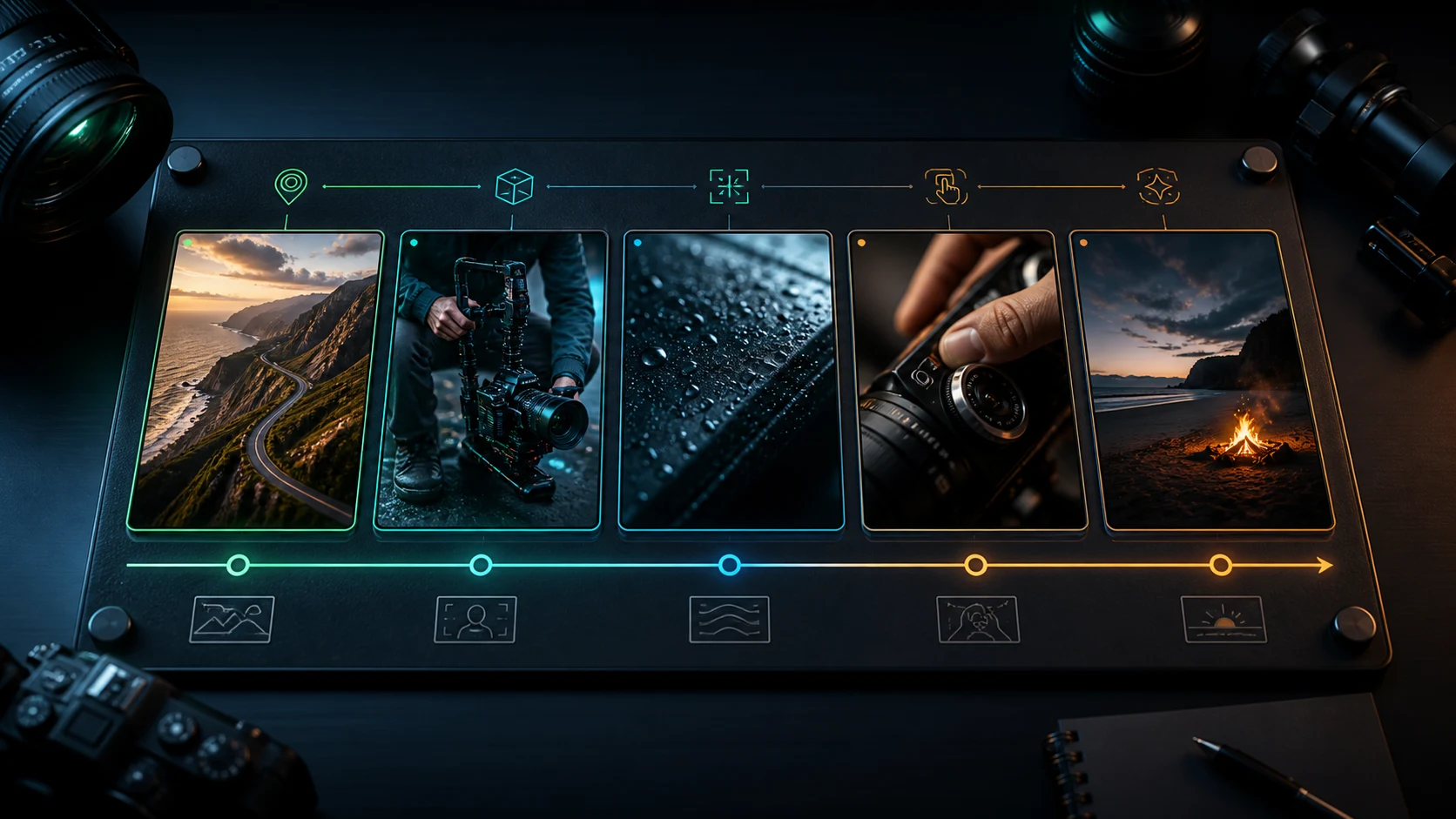
Use seven shot jobs instead of a random list
A compact shot vocabulary helps you spot missing coverage.
| Shot job | What it gives the editor | Typical framing |
|---|---|---|
| Establishing | Place, time, scale, atmosphere | Wide or aerial |
| Action | The main visible verb | Medium or full shot |
| Detail | Evidence a wide shot cannot show | Close-up or macro |
| Process | A step or cause-and-effect relationship | Medium close plus insert |
| Reaction | Human meaning or consequence | Close-up or two-shot |
| Transition | A motivated bridge between beats | Wipe, foreground pass, match move |
| Closing hold | A clean memory frame or edit endpoint | Stable hero or environmental frame |
You do not need all seven in every sequence. A fifteen-second product short might use establishing, detail, action, and closing hold. A tutorial might need process, detail, and result. A documentary beat may use context, evidence, reaction, and transition.
Two shots with different focal lengths can still duplicate the same job. A wide coffee shop and a medium coffee shop both establish location. If the edit needs proof of the roasting process, generate the beans entering the cooling tray instead of another room view.
Build a continuity card for the sequence
AI B-roll often fails as a set even when each clip looks good alone. Write a small continuity card and paste the relevant lines into every prompt.
Sequence continuity
Format: vertical 9:16, realistic documentary footage
Location: small coastal workshop with white plaster walls and dark oak benches
Subject: one woman in her early thirties, short dark curls, faded indigo work shirt
Object: unbranded charcoal ceramic cup with a narrow foot and uneven handmade rim
Palette: slate, indigo, warm wood, pale morning light
Light direction: large window from frame left
Avoid: visible text, logos, new people, wardrobe changes, glossy showroom surfaces
The card should protect recognition, not freeze every clip. Framing, action, depth of field, and foreground elements can change. Subject identity, object geometry, wardrobe, location cues, palette, and light direction should remain stable unless the story calls for a change.
For a recurring person or product, start from a clean owned image. The character consistency guide explains how to separate identity facts from action and camera instructions.
Choose text-to-video or image-to-video per shot
Text-to-video is flexible when exact identity does not matter. Use it for a cloud shadow crossing a hillside, an anonymous street atmosphere, dust in workshop light, or a conceptual transition. It is also useful when you need several composition ideas before committing to a reference.
Image-to-video is safer when the shot must preserve:
- a product silhouette or material;
- a recurring face, wardrobe, or hairstyle;
- a real room layout;
- a designed frame with negative space;
- the first frame of a match cut;
- a specific color palette established elsewhere.
Do not animate a weak reference merely because it exists. A cropped product, inconsistent lighting, unreadable hands, or compressed face can become a stronger constraint than the prompt. Fix the still first.
When comparing modes, keep the shot job identical. “Text-to-video atmosphere” versus “image-to-video product close-up” is not a useful quality test because the tasks differ.
Copy-ready B-roll prompt: establishing context
An establishing shot should orient quickly. It does not need the most complex camera move.
Documentary establishing B-roll of a small coastal ceramics workshop at early morning. Wide eye-level view from the open doorway; white plaster walls, dark oak workbenches, shelves of unfinished charcoal cups, and pale sea light entering from frame left. One craftsperson crosses the background once carrying a wooden tray. Use a slow, stable push forward of less than one metre. Preserve realistic scale and natural workshop clutter. No signs, readable text, logos, extra workers, or dramatic speed ramp. End on a steady view with the main workbench clear in the centre.The person is background motion, not the subject. The final composition leaves a usable bridge into a closer workbench shot.
Copy-ready B-roll prompt: action and process
A process insert needs a visible cause and result. Do not bury the verb in mood language.
Medium close documentary B-roll at the same workshop bench. The same craftsperson in a faded indigo shirt lifts one charcoal ceramic cup from a wooden tray, rotates it a quarter turn, checks the uneven rim with her thumb, and places it on the bench. Locked camera at hand height with a natural 50 mm look. Keep her hands anatomically correct, the cup shape and colour unchanged, and morning window light from frame left. The action happens once at normal speed. End after both hands leave the cup so the editor has a clean hold.If the action becomes confused, split it. One clip can lift and rotate; a second macro can inspect the rim. A clear two-shot sequence is more useful than one clip containing five partly completed hand actions.
Copy-ready B-roll prompt: detail and material proof
Close-ups should reveal evidence the viewer cannot see elsewhere.
Macro B-roll of the same charcoal ceramic cup resting on the dark oak bench. The handmade rim and fine matte surface texture fill the frame. A narrow band of pale morning light moves gently across the curve as the cup rotates only a few degrees on its base. Camera remains fixed; very shallow depth of field follows the front rim without breathing or reframing. Preserve the exact cup geometry, colour, and small surface variations. No text, logo, steam, extra objects, or glossy finish. Finish with the texture sharp and motion stopped.“Macro” is not enough. The prompt names what the detail proves, how it moves, and what cannot change.
Copy-ready B-roll prompt: motivated transition
Use a foreground object or matching direction to bridge two beats. Avoid generic liquid morphs unless the story supports them.
Close documentary shot in the same workshop. A wooden tray carrying three charcoal cups passes very close across the lens from left to right and briefly fills the entire frame. Keep the camera locked and the motion at normal walking speed. Before the tray arrives, the background shows the pottery bench; after it clears, reveal the kiln area with matching pale light and the same visual palette. Use the tray as a practical foreground wipe, not a digital morph. No flash, camera spin, text, logo, or added people. End with the kiln doorway stable and unobstructed.If the model cannot preserve two locations in one generation, create the outgoing and incoming halves separately and join them under the full-frame tray occlusion.
Plan vertical B-roll for captions and crops
Vertical B-roll needs compositional space. If captions will occupy the lower third, do not place the only important action there. If the clip may also be cropped to square or horizontal, keep essential evidence inside a shared safe area.
Write the delivery frame into the prompt:
Vertical 9:16 composition. Keep the cup and hand action in the middle 60 percent of the frame. Leave a quiet, low-detail area in the upper third for editorial captions. Do not generate words, signs, interface panels, or subtitle graphics inside the footage.Add actual captions, charts, prices, interface captures, and calls to action during editing. Generated text can be wrong and ties the clip to one language. Clean footage is easier to localize and reuse.
The one-image product ad workflow uses the same principle: generate visual evidence and add precise commercial information later.
Review B-roll on the timeline, not in a gallery
A gallery rewards the most attractive clip. An edit rewards relevance, continuity, and clean cut points. Place each candidate under the exact voiceover or between the exact shots it must connect.
Score five things:
| Check | Pass question | Repair |
|---|---|---|
| Relevance | Does the shot support this exact beat? | Rewrite the shot job |
| Entry | Is the first usable frame stable? | Remove a camera ramp or trim setup action |
| Readability | Can the action be understood quickly? | Simplify the verb or move closer |
| Continuity | Do identity, object, light, and direction match? | Strengthen only the drifting anchors |
| Exit | Is there a clean cut or planned transition? | Add a hold or finish the action earlier |
Keep a replacement note instead of regenerating blindly.
Shot D03 — material detail
Useful: texture and light direction match the sequence
Failure: camera drifts upward before the rim becomes sharp
Keep fixed: reference image, model, duration, palette, rotation action
Change: replace slow push with locked camera; end on sharp rim for one beat
This preserves what worked and makes the next run answer one question.
Fix generic or irrelevant B-roll
The clip looks cinematic but says nothing
Replace mood adjectives with evidence. “Premium cinematic workshop” is weak. “Thumb removes loose clay from the uneven rim in macro view” has a job.
The model invents dashboards and text
Remove “data-driven,” “interface,” and “analytics” shorthand. Describe a physical action or use a real captured interface in the edit. Add “no text, labels, dashboards, or floating panels” when those artifacts recur.
Every shot has the same camera move
Vary scale and job before varying movement. A locked macro, steady medium process, and slow wide push provide more coverage than three orbit shots.
The B-roll does not match the main footage
Match aspect ratio, light direction, camera height, motion speed, palette, and subject cues. If the main footage is quiet handheld documentary, a glossy impossible drone move will announce itself as unrelated stock.
There is no clean place to cut
Ask the action to happen once, finish early, and hold. Generate a separate transition insert if the shot cannot both prove detail and bridge the edit.
The first-party planning example above demonstrates coverage roles and clean edit endpoints. It is not a benchmark or a promise that one prompt reproduces the same output across models.
Build the minimum viable coverage set
Before generating alternatives, make one usable candidate for each required job. A practical minimum for a talking-head or voiceover short is:
- one establishing or context shot;
- one medium action shot;
- one close evidence shot;
- one transition or visual reset;
- one closing hold.
Watch the rough cut. The missing shot will become obvious. Perhaps the wide shot already works, but the explanation needs a process insert. Perhaps the close-up is strong, but the sequence lacks a bridge from person to product. Generate that gap, not another complete batch.
For a product-led sequence, reuse the one-image video ad workflow. For recurring people or objects, use the character consistency workflow. Both belong to the same cluster: plan what must remain stable, give every shot one purpose, and replace the first weak link instead of restarting everything.
Final checklist before generating B-roll
Confirm that:
- every required shot maps to a line, action, question, or transition;
- each shot has one primary job and one visible action;
- the coverage set changes purpose and scale instead of repeating style;
- identity, object, location, palette, light, and format are locked where needed;
- text-to-video and image-to-video are chosen per shot job;
- captions, UI, charts, prices, and claims stay in the editor;
- the prompt specifies a usable entry or exit state;
- review happens on the real timeline;
- the next run changes one diagnosed variable;
- all reference and media assets are owned or authorized.
Return to C Dance, open the Workspace with Seedance 2.5 selected, and generate the smallest coverage set that can complete your current edit. Useful B-roll is not the largest pile of attractive clips. It is the fewest shots that make the story clearer and the cut easier.
If one coverage shot must become the next scene, use the AI video transition prompt guide to choose a generated bridge or an editor-native cut before spending another generation.
If a short coverage shot needs to repeat behind narration, use the AI video loop prompt workflow to close the frame state and motion phase before editing.