
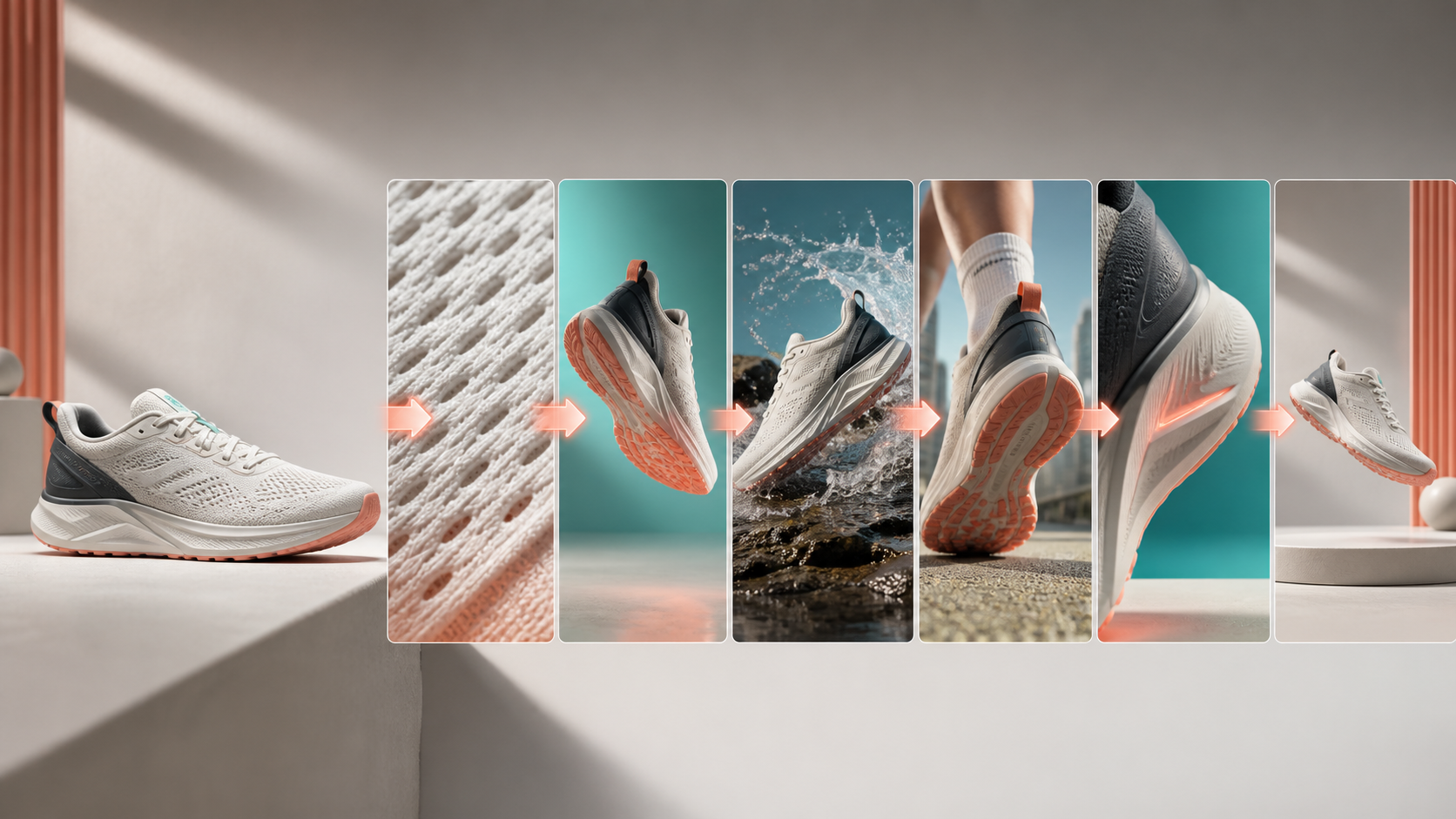
An AI product video generator works best when one image anchors several short, replaceable shots. Keep the product description identical, give every shot one commercial job, and add prices, claims, logos, and CTA text in an editor. Generating one long “make me an ad” clip usually hides product drift until the whole sequence must be replaced.
AI product video generator workflow: quick answer
Use this production order:
- Prepare one clean product identity image.
- Choose one visual claim for the ad.
- Write a reusable product-lock paragraph.
- Plan six shots: hook, identity, material, use, benefit, and memory.
- Generate each shot separately in image-to-video mode.
- Compare product geometry before judging style.
- Edit the strongest clips and add text outside the video model.
Start in the C Dance image-to-video workspace with Seedance 2.5 selected. The same plan can be adapted to another model, but keep the first test on one model so the comparison remains useful.
The storyboard above changes shot purpose without changing product identity. The macro frame proves material. The lifestyle frame provides context. The final shot stops moving. A sequence made only of wide action shots may feel lively while leaving the product hard to recognize.
Prepare the source image for motion
Use the highest-resolution owned product photograph available. The product should occupy enough of the frame to show its edges, but it should not touch the image boundary. Leave room in the direction the camera or subject will move.
A strong source image has:
- the complete silhouette visible;
- a front or three-quarter angle;
- even light across important materials;
- a simple background;
- no hand covering the product;
- enough empty space around thin parts and edges.
Clean the source image before generation. Remove temporary price labels, unsupported claims, watermarks you do not own, and clutter that could be treated as part of the product. If the model has never seen the back, avoid beginning with a 180-degree orbit. It will have to invent hidden geometry.
The character and object consistency guide covers the same identity principle for people and recurring objects. Product work puts more weight on silhouette, seams, labels, and material boundaries.
Write a product lock you can reuse
A product lock is a short factual description pasted into every shot prompt. Do not rewrite it with fresh adjectives each time.
Product lock: one off-white running shoe with charcoal heel support, coral outsole, teal lace accent, and breathable knit upper. Preserve the exact silhouette, panel layout, material boundaries, and colors in every shot. Do not add logos, text, extra seams, or duplicate parts.Include only visible facts. If the photograph does not establish that the shoe is waterproof, do not convert water beads into a waterproof performance claim. The scene can show wet conditions without making a product guarantee.
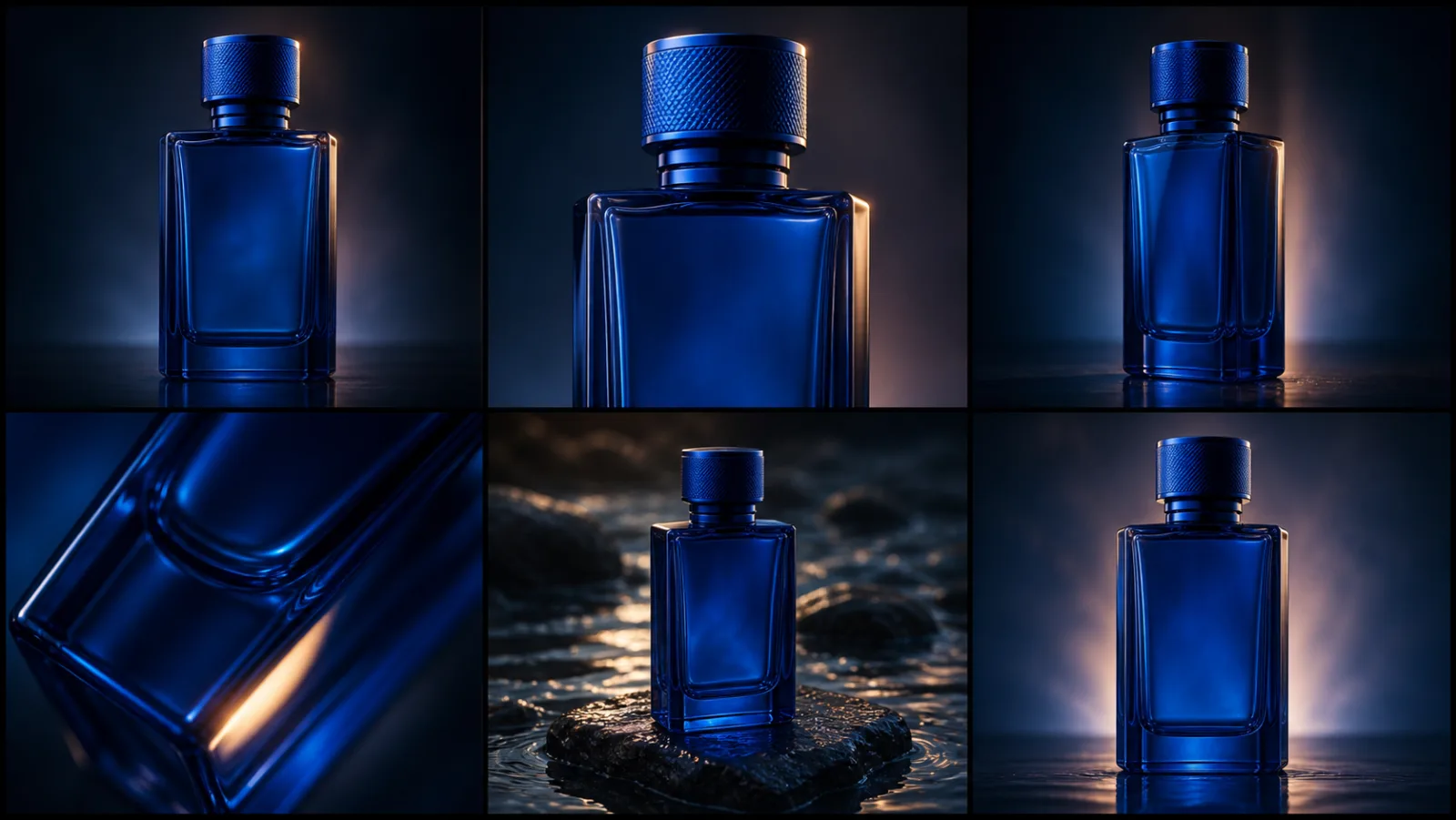
For a bottle, lock the ratio between cap, neck, shoulder, body, and base. For electronics, lock the number and placement of ports and buttons. For cosmetics, lock the cap-to-container ratio and reflective finish.
Build the ad around one visual claim
Choose one benefit the camera can show without small text. Good visual claims include texture, compact size, satisfying mechanism, lightweight movement, or water beading on a surface. A fifteen-second ad cannot explain five benefits and still give the product enough recognition time.
For the running-shoe example, the visual claim is controlled movement in wet conditions. It does not claim certified waterproofing. The shot plan is:
| Shot | Length | Commercial job | Visual |
|---|---|---|---|
| 1 | 2s | Hook | Outsole lands beside a shallow puddle |
| 2 | 3s | Identity | Clean partial turn on a platform |
| 3 | 2s | Material | Knit texture and water beads |
| 4 | 3s | Use | Runner moves through a wet street |
| 5 | 3s | Benefit | Natural toe-off in slow motion |
| 6 | 2s | Memory | Still hero product with clean space |
The sequence alternates action and recognition. The product is introduced, proved, used, and then held. If every shot moves quickly, the viewer spends the ad decoding shapes instead of remembering the product.
Generate six replaceable shots
Paste the product lock above each shot. Generate clips separately. Two to four seconds is a useful starting range because a failed shot is cheap to replace.
Shot 1: hook with controlled motion
[PRODUCT LOCK]
Two-second vertical commercial hook. Extreme low-angle macro shot as the shoe lands beside a shallow rain puddle. A small controlled splash crosses the foreground without covering the product. Fast action, crisp silhouette, stable camera, no text.
The splash is foreground motion, not the subject. If it covers the outsole or changes the silhouette, reduce it before changing the lighting.
Shot 2: product identity
[PRODUCT LOCK]
Three-second studio identity shot. The shoe makes a slow 35-degree turn on a warm-white platform. Soft teal background, restrained coral edge light, accurate knit and outsole geometry. Smooth camera, no hands, no text. Finish the turn by 2.2 seconds and hold.
A partial turn reveals form without demanding unseen back geometry. The hold creates a useful editing point.
Shot 3: material proof
[PRODUCT LOCK]
Two-second macro detail of the knit upper. The camera slides five centimeters from heel toward toe while small water beads remain on the surface. Keep the knit pattern and teal lace accent unchanged. Shallow depth of field, no logo, no text.
Short travel matters. A large macro move can turn material detail into shape distortion.
Shot 4: product in use
[PRODUCT LOCK]
Three-second side tracking shot of the shoe worn by an adult runner on a wet city path. Frame from mid-calf down. Natural stride, realistic ground contact, product fully visible, overcast daylight, no crowd, no text.
Framing below the knee reduces unrelated identity work. The shot still needs a realistic footfall. Reject duplicated feet, sliding contact, or an outsole that changes between steps.
Shot 5: benefit detail
[PRODUCT LOCK]
Three-second close shot of one natural toe-off in slow motion. Show controlled flex through the forefoot without deforming the heel or outsole pattern. Stable camera, realistic anatomy, subtle water spray, no duplicated feet.
One toe-off is enough. Repeated slow-motion steps increase the chance that geometry drifts.
Shot 6: end frame
[PRODUCT LOCK]
Two-second closing product shot on a clean warm-gray platform. The shoe settles from a slight turn and remains still for the final second. Soft coral rim light. Leave empty space above and to the right for editor-added copy. No generated text or logo.
The model creates the picture; the editor creates the offer. Generated prices, discounts, and fine print are hard to spell correctly and harder to update across markets.
Review product accuracy before aesthetics
Build a simple grid with one row per shot and five checks:
| Check | Question |
|---|---|
| Silhouette | Does the outer shape match the source image? |
| Material | Are knit, metal, glass, plastic, or leather boundaries stable? |
| Color | Do named colors stay consistent under the new light? |
| Mark area | Is the logo or blank label area unchanged? |
| Camera | Does the movement follow the shot plan? |
Check first frames side by side. A beautiful clip can still fail because the heel support disappeared. Replace the first clip that breaks identity before polishing transitions.
The completed sequence below is a site-owned reference. It demonstrates the alternation between action and product recognition. It is not presented as a controlled benchmark for every model or prompt.
Watch it twice. First, mute the sound and mark the moment the product becomes hard to recognize. Then play the audio and mark cuts that land away from a beat or impact. Those reviews answer different questions.
Fix product drift in the right order
Start with the visible symptom and change one cause.
| Failure | Likely cause | First repair |
|---|---|---|
| Color changes | Mood terms imply different grading | Keep one color description and one light family |
| Extra seams or marks | Model invents surface detail | Repeat exact panel layout and prohibit additions |
| Shape warps during motion | Movement exceeds stable geometry | Shorten clip or reduce rotation |
| Splash or hands cover product | Foreground effect dominates | Reduce effect and require full silhouette |
| Product slides | Contact and camera instructions conflict | Use static camera and one grounded action |
| End frame will not hold | Action runs to final frame | Finish motion one second earlier |
Do not add ten new negative instructions after one failure. Long prohibition lists compete with the main event. Repair the earliest drift, rerun the same shot, and compare the same timestamp.
Plan sound without hiding the product
Sound can make a modest visual sequence feel finished, but it cannot repair missing recognition. Build audio around physical events: landing, turn, water hit, fabric movement, and final stop.
Sound plan:
0-2s: one grounded shoe impact and small splash
2-5s: quiet studio room tone with a restrained rising pulse
5-7s: close water detail and soft material movement
7-13s: footfalls aligned with the runner, no voiceover
13-15s: music resolves as motion stops
If the campaign needs voiceover, keep it shorter than the visual sequence. The viewer still needs time to see the product. Captions belong in the editor, with safe margins for TikTok, Reels, Shorts, or paid placements.
The TikTok AI video guide covers vertical framing and feed pacing. The Seedance prompt library provides additional camera language when one of the six shots needs a different move.
Edit for recognition and conversion
Put the clearest motion in the first two seconds, then show the product cleanly. Alternate close and wider framing. Do not use a transition merely because the editor offers it. A hard cut is often clearer than an effect that bends product edges.
Keep three hook options and one acceptable version of the remaining shots. That gives you a meaningful opening test without multiplying the entire production budget. Export a rough sequence before perfecting every clip.
Add the logo, price, claim, subtitles, and CTA after the picture edit is stable. Check every marketing claim against the real product. AI-generated visuals should not create performance evidence the product does not have.
Keep a reproducible revision log
Ad test: SHOE-06B
Source image: approved three-quarter product image
Model and mode: Seedance 2.5, image-to-video
Changed variable: Shot 3 camera travel reduced from 15 cm to 5 cm
Result: knit boundary stable; teal lace remains visible
Remaining failure: water beads disappear at 1.6s
Next change: reduce slide to 3 cm, keep prompt otherwise identical
This record turns regeneration into production work. “Try again” does not teach you which instruction preserved the product.
Adapt one master sequence to three placements
Do not generate three unrelated ads for vertical, square, and landscape placement. Approve one product identity and one shot sequence first, then adapt composition. This preserves the test result while changing the available copy space.
| Placement | Composition rule | Copy-safe area | First shot adjustment |
|---|---|---|---|
| 9:16 vertical | Keep product and action in the center 60% | Upper or lower third, away from interface controls | Use a tighter splash with vertical travel |
| 1:1 square | Keep the complete silhouette near center | One quiet side or the top quarter | Reduce lateral camera distance |
| 16:9 landscape | Protect horizontal lead room | Left or right third opposite the product | Allow a wider environment reveal |
Create the hardest crop first. For a campaign dominated by vertical feeds, approve the 9:16 frame before rendering landscape. Cropping a landscape macro into vertical can remove the heel, cap, handle, or another identity-bearing edge.
Use the same product lock in every aspect ratio. Change only composition clauses:
Vertical adaptation: keep the entire shoe inside the center 60 percent of the frame. Preserve empty space above the product for editor-added copy. No generated text. Complete the splash by 1.3 seconds and hold a clean silhouette.If a new ratio changes the product, treat it as a failed generation, not a design variation. The product's real geometry is not negotiable because a placement is narrow.
Separate visual evidence from advertising claims
A generated image can illustrate an approved claim; it cannot create proof for a new one. Build a claim matrix before editing.
| Candidate message | What the generated shot may show | Evidence still required |
|---|---|---|
| “Lightweight feel” | Easy, natural movement | Real product weight or approved qualitative wording |
| “Water-resistant” | Product in a wet environment | Verified product specification and permitted claim language |
| “Recycled material” | Visible textile texture | Supply-chain or certification evidence |
| “All-day comfort” | Casual use context | Approved substantiation; one clip cannot prove duration |
| “Compact design” | Scale beside a known owned prop | Accurate dimensions and non-misleading comparison |
Keep unsupported superlatives out of the generation prompt. “The world's most comfortable shoe” does not help motion control and creates a claim the visual cannot substantiate. The prompt should describe the visible event. The editor and campaign brief should use only approved language.
Test hooks without rebuilding the whole advertisement
The six-shot structure makes hook testing inexpensive. Keep shots two through six fixed and generate three opening options:
Hook A — impact:
Two-second low shot as the shoe lands beside one small splash. Product remains fully visible.

Hook B — material:
Two-second macro slide across the knit and coral outsole, ending on the complete side profile.

Hook C — use context:
Two-second locked frame as the runner steps into view and stops on the wet pavement.
Export three rough cuts with identical music, product proof, benefit shot, and end card. Compare completion, click, or qualified-view behavior using the platform metric appropriate to the campaign. Do not declare a winner from one attractive frame.
Record the hook ID in the filename and analytics plan. A useful naming pattern is shoe-wetstreet-hookA-v03-9x16. Without the link between creative version and result, future articles may repeat a visually popular approach that never produced a useful visit.
Create a handoff package for the editor
The generation folder is not the final deliverable. Prepare a compact handoff that lets an editor assemble the ad without guessing which files are approved.
Include:
- the approved product source and written product lock;
- one selected file for each of the six shot jobs;
- rejected versions stored separately, with the rejection reason;
- a shot order and target duration;
- the sound plan and music-licensing record;
- approved logo, price, CTA, captions, and claim language;
- safe-area overlays for each placement;
- the generation model, mode, prompt, and revision log;
- a final product-accuracy and claim-approval owner.
The editor should not have to choose between final-2, final-new, and final-really-new. Use the test ID from the revision record. A clean handoff protects the reasoning that made the shots consistent.
Before export, watch the ad once without sound, once without reading copy, and once at normal feed size. The first pass tests product recognition. The second tests whether the sequence makes visual sense. The third exposes tiny text, unsafe margins, and cuts that felt smooth only on a large monitor.
Define the conversion path inside the article and the ad
The video earns attention; the destination must complete the promise. Match the ad's product and action to the landing page rather than sending every viewer to a generic home page. For this workflow, the article links directly to the preselected image-to-video workspace so the reader does not have to find the model again.
Use one primary CTA per placement. An ad that asks viewers to watch, compare, subscribe, download, and buy creates the same conflict as a prompt with six camera moves. The end frame should preserve quiet space for that one action, while the landing page should show the same product category, visual language, and next step.
Limits of a one-image workflow
One photograph cannot prove hidden geometry. It cannot guarantee label accuracy at every angle. It cannot establish how a flexible object behaves under every force. Use small camera moves around known surfaces, and add another owned reference when the back, side, or mechanism must be accurate.
This workflow also does not replace legal or advertising review. Do not fabricate certifications, performance results, endorsements, or packaging text. Do not use product images you lack permission to animate.
The useful standard is simple: every clip must preserve the product and perform one job in the edit. When the six frames read as one object and one claim, return to C Dance, keep Seedance 2.5 selected, and render the final aspect-ratio variants.
If the product stays locked but the scene wording still feels loose, open the Seedance 2.5 prompt guide next. It shows how to write shorter motion and camera instructions that preserve the reference instead of fighting it.
If the edit still lacks contextual cutaways, close evidence shots, or clean transitions, use the AI video B-roll shot-list workflow to assign each additional clip a specific job before generating it.
When two product states must connect inside one generated clip, use the AI video transition prompt workflow to define the start anchor, bridge motion, end anchor, and edit handles.